
For streamers
Tell your viewers about Faders
Twitch panels, an on-stream badge, a !faders chat command and ready-to-paste text, so viewers know they can set their own mix.
Viewers only get the sliders if they have the free extension, so tell them it's there. Everything here is free to use on your channel. Signed in? The streamer portal has the same kit with your channel name already filled in.
#Graphics
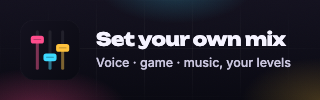
Twitch panel (320x100 px). Panel image above the panel text. Link it to https://faders.tv/extension. Download
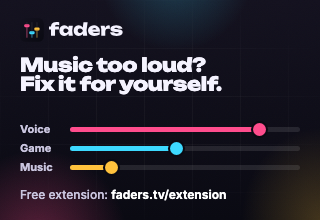
Twitch panel (with instructions) (320x220 px). A taller panel that explains it on its own, if you'd rather skip the text. Download

On-stream badge (1000x180 px). Transparent PNG for an OBS image source. Show it for a minute now and then, or when chat asks about the volume. Download
#Chat command
Add a !faders command so you or your mods can answer "how do I turn the music down?" in one
line. The reply:
This stream has Faders. Set your own voice, game and music volume, just for you. Get the free browser extension at faders.tv/extension (desktop), then click Mix this stream at the bottom right of the video.
Nightbot. Paste this in your chat (you need to be the broadcaster or a mod):
!commands add !faders This stream has Faders. Set your own voice, game and music volume, just for you. Get the free browser extension at faders.tv/extension (desktop), then click Mix this stream at the bottom right of the video.
StreamElements. Paste this in your chat:
!command add faders This stream has Faders. Set your own voice, game and music volume, just for you. Get the free browser extension at faders.tv/extension (desktop), then click Mix this stream at the bottom right of the video.
Another bot (Fossabot, Streamlabs Cloudbot, Moobot…): add a command named !faders with the
reply above in your bot's dashboard.
Optionally, a timed message every 30–60 minutes:
Music too loud? Can't hear the game? Set your own mix with Faders: faders.tv/extension
#Twitch panel
In your channel's About section, add a panel. Use the panel image above, set the link to the one below, and paste the description (Twitch panels support this formatting).
Title:
Set your own mix
Link:
https://faders.tv/extension
Description:
Music too loud? Can't hear me over the game? With the free **Faders** browser extension you set your own voice, game and music volume on this stream. Nobody else hears your mix.

1. Get the extension at faders.tv/extension (desktop browsers)
2. Click **Mix this stream** at the bottom right of the video
#Stream title
Add this to the end of your stream title so new viewers ask for !faders:
| set your own volume: !faders
#Posts
When you go live (X, Bluesky, Threads):
Live now, and you can set your own voice, game and music levels with Faders: twitch.tv/yourchannel
For your Discord:
I've added Faders to the stream! With the free browser extension you can set your own voice, game and music volume while you watch, without changing anyone else's. Get it at https://faders.tv/extension then click **Mix this stream** at the bottom right of the video on https://twitch.tv/yourchannel